Time,with teeth.
A free menu bar app for macOS that counts down to the trip, the launch, the birthday, or the next 25 minutes. Pin the ones that matter and they tick away next to your clock, on your wrist, and soon on your iPhone's Lock Screen.
Halloween is a few weeks away. Somebody should be counting.
It lives in your menu bar.
No dock icon, no window to lose. Count Downula sits up top with your clock and only opens when you ask.
-
Click the fang.
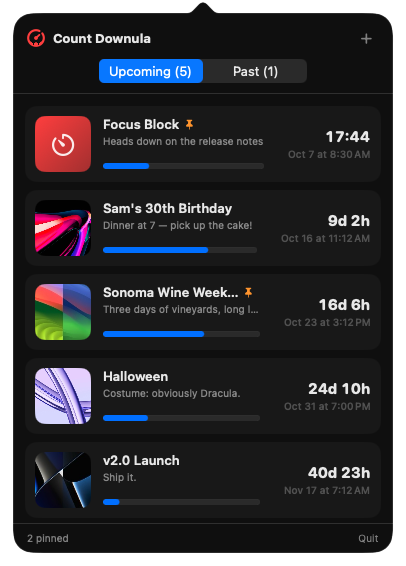
Your countdowns drop down, soonest first, with a bar showing how much time has already drained away. Finished ones move to Past.
-
Open one up.
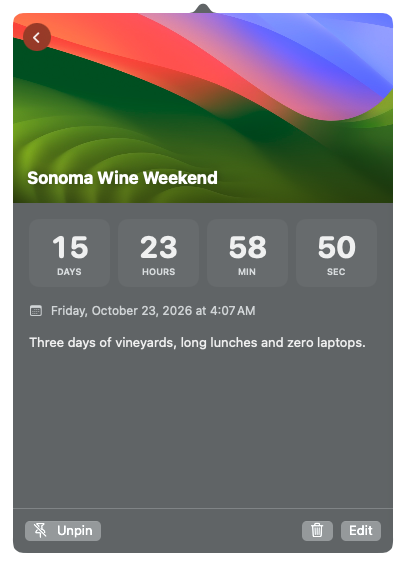
Each countdown gets a photo, a note, and its days, hours, minutes and seconds laid out big enough to feel.
-
Pin what matters.
A pinned countdown gets its own menu bar item: thumbnail, title and time left, always in view. Click it to jump straight to its details.
-
Hear it hit zero.
When a countdown finishes, macOS taps you on the shoulder with a notification. Timers work the same way, so a focus block ends on time.

In your pocket.
The iPhone app puts the next countdown up front, photo and all, with the rest lined up underneath. Add one in a few taps, start a quick timer from the + button, and let it find you wherever you look.
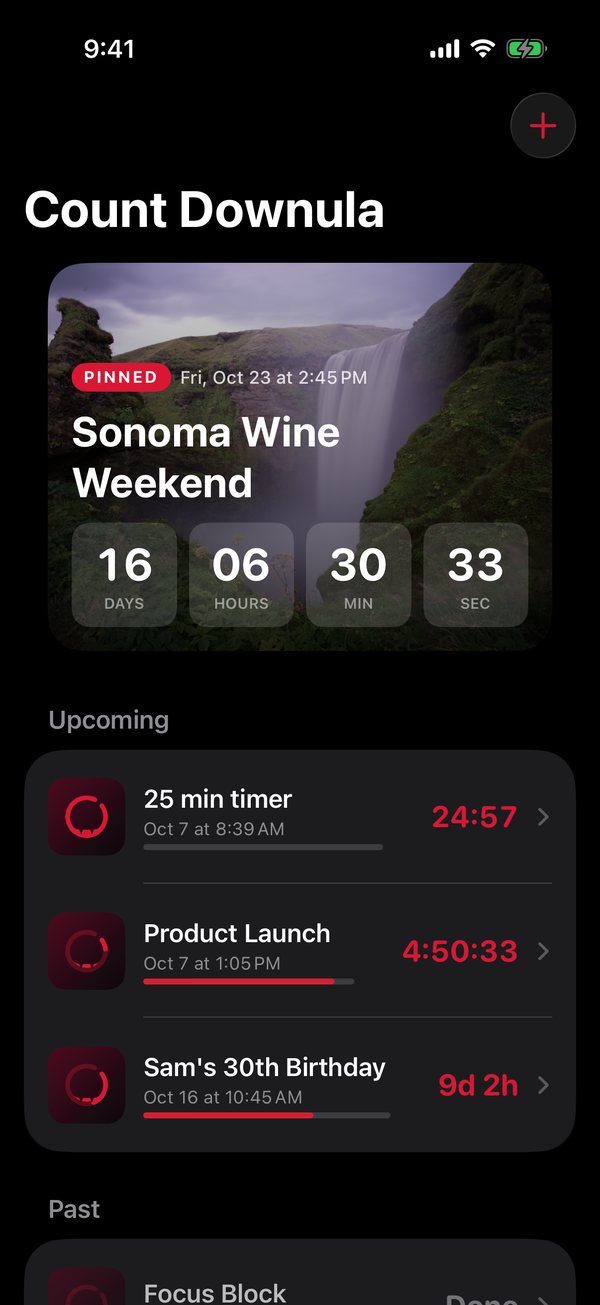
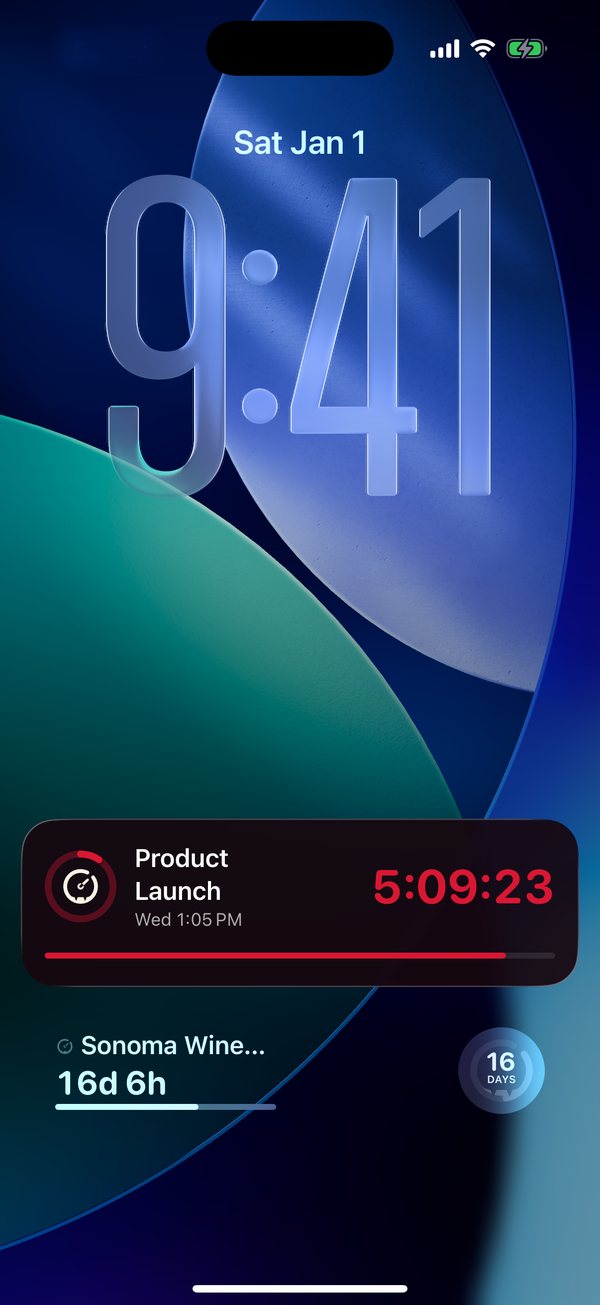
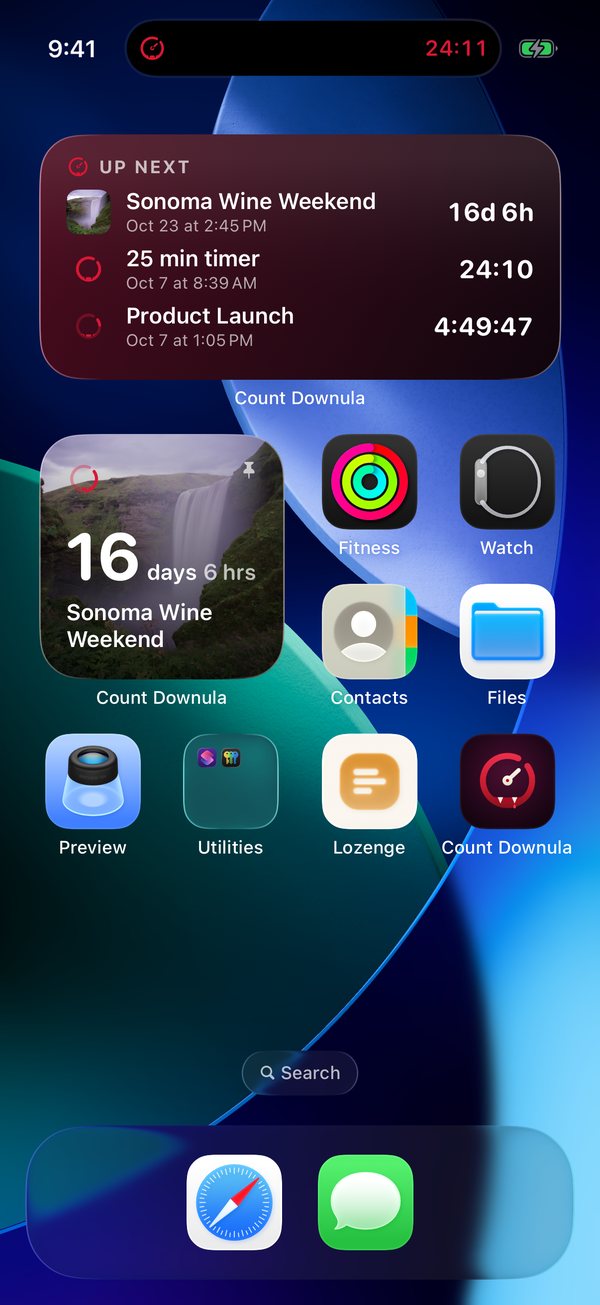
- Home Screen
- One countdown in three sizes, with its photo behind the time left. Or an Up Next list of what's coming.
- Lock Screen
- Circular, rectangular and inline widgets, cut from the same cloth as the watch complications.
- Live Activity
- In the final hours, a live timer rides on your Lock Screen and in the Dynamic Island.
- StandBy
- Charging on its side, the phone shows the countdown big enough to read from across the room.
Pin it and it goes live. A pinned countdown leads every widget, and once it's inside its last eight hours it shows up on your Lock Screen and in the Dynamic Island on its own. New timers go live right away. Tap any of them to jump straight in.
The iPhone app is coming soon.
On your wrist, too.
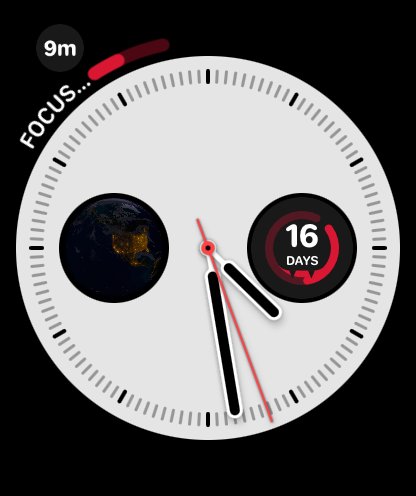
The Apple Watch app stands on its own, no iPhone needed. Check what's coming, open any countdown for a live view, or start a quick timer from your wrist. The watch sets its own alerts, so it taps you when time is up even if your Mac is asleep.
- Circular
- The fanged ring drains as the day gets closer, with the days left in the middle.
- Rectangular
- Title, live time left and a progress bar. Full-color faces add the photo.
- Corner
- Time left on a curved gauge, with the title alongside.
- Inline
- One line across the top of the face, like Sonoma · 15d 23h.
Each complication can follow a countdown you choose, or Next Up: your soonest pinned countdown, or the soonest one if nothing is pinned.
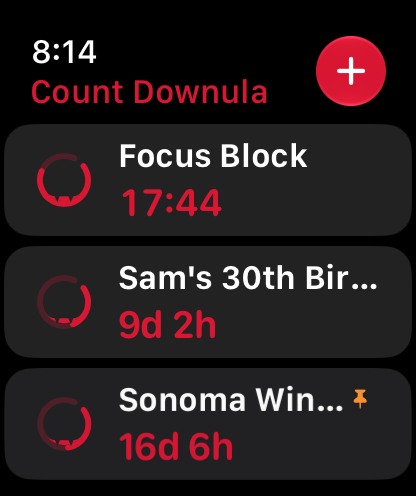
Your Mac, iPhone and watch stay in step through iCloud. Add a countdown on one and it shows up on the others, photo and all. It syncs through your own private iCloud storage, which only your Apple Account can read.
The Apple Watch app and iCloud sync arrive in Count Downula 1.1.
What are you waiting for?
Name it, set the date, and watch it go. This is the same detail view the app shows, running live in your browser. Nothing you type here is saved or sent anywhere.
Halloween
- Dates or timers
- Count to a moment on the calendar, or start a timer for a set length of time. Both get the same treatment.
- Your photos, your notes
- Drag a photo onto any countdown on your Mac, or pick one from your library on iPhone. Add a line about what it is, so future you knows why it mattered.
- Yours alone
- No sign-up, no tracking, no analytics. Countdowns live on your devices and in your private iCloud, never on a server of mine.
- Native and light
- Written in Swift for macOS, iOS and watchOS. One universal Mac app for Apple silicon and Intel.
Invite it in.
Like any vampire, Count Downula has to be invited in. It isn't notarized by Apple yet, so macOS asks you once before the first launch.
-
Download the zip
Get the latest Count Downula zip from the GitHub releases page and unzip it.
-
Drag it to Applications
Move Countdownula.app into your Applications folder so it sticks around.
-
Open it the first time
Right-click the app, choose Open, then Open again. Or run this in Terminal:
xattr -dr com.apple.quarantine /Applications/Countdownula.app